
After you’ve got your hardware sorted (see my previous post), it’s time to start experimenting. In this post I don’t want to focus on the specifics of setting up individual services, but instead go over the basics of what I’m running on my homelab, why I run it, and links to some basic resources to get you started.
What DO I Run and Why?
Base OS – Proxmox

On my individual homelab machines I run Proxmox. It’s got a wonderful web management console, it’s relatively simple to install, and it’s free(-ish). You can use it to run either Containers OR Virtual machines and it even has a large amount of community support for plug-ins in your favorite Infrastructure-as-Code or Machine Orchestration System (more on that later). In general most of my services (with the exception of my firewall) are virtualized or containerized on-top of proxmox or a lower power Raspberry Pi cluster (more on those later).
Useful Resources:
NAS – TrueNAS Scale (on a Proxmox VM)

Originally I ran TrueNAS scale on bare-metal and used the TrueNAS Scale Apps functionality(basically their custom opinionated K3S/Rancher/Helm deployment) along with the great TrueCharts project to run an entire kubernetes cluster, even creating my own custom charts repository and contributing PRs back to TrueCharts to fix several issues. This worked well initially, but as I started to learn more about kubernetes and wanted to do more, I eventually ran into things I just couldn’t do. The immanent deprecation of TrueNAS Scale Kubernetes Apps was the last nail in the coffin; I decided to relegate TrueNAS Scale to a VM and run my production kubernetes cluster along-side.
This arrangement has several benefits; Firstly, it allows me to tune the specific hardware resources (i.e. Memory, CPU, and GPU) that I want to give TrueNAS and gives me more flexibility on how I wanted to configure my hardware in general. Secondly, it simplifies my NAS installation and allows me the flexibility to install other NAS providers simply and easily, without reformatting and without needing to physically access my machine. This change also reflects the role that a NAS should have in the homelab – as bulk data storage rather than application storage.
Useful Resources:
Firewall – OPNSense

OPNSense is a fork of pFSense, and while not as popular as it’s commercial cousin, is free (as-in speech) and has most of the same advanced features. Generally I’ve found that OPNSense can do anything that I want (and more) and is secure and reliable even on low power hardware.
The only downside that I’ve encountered when using OPNSense is the lack of a consistent API for doing relatively basic things like automating DNS/DHCP management. There’s been some progress on this front with the new Kea DHCP server, but community support hasn’t really caught up yet. This REALLY should only affect you if you’r trying to automate some of your homelab tasks.
Useful Resources:
Homelab Provisioning – OpenTofu/Terraform
Wherever possible, I like to take a Dev-Ops approach to solving problems in my homelab. For me this means attempting to provision some of the more complex aspects of my homelab infrastructure with Infrastructure-as-Code principles. Here OpenTofu/Terraform is my tool of choice.
When deploying with OpenTofu or Terraform, we want to limit our deployment to infrastructure, which in the case means setting up the VMs and bootstrap kubernetes onto another Dev-Ops/GitOps CI-CD system that’s better suited for kubernetes deployment (i.e ArgoCD or FluxCD). Using Terraform for infrastructure provisioning also allows me to also familiarize myself with Mozilla SOPS, AGE and secrets protection on GitHub. Feel free to browse my Github Repo for more information – I’ll have a further write up on the structure of this repository later.
So why did I choose OpenTofu over Terraform? Well, end-to-end state encryption was the killer feature. This allows me to commit the encrypted state to github without needed to provision a separate cloud account (i.e. AWS S3 Backend), simplifying setup and deployment. For any future AWS Terraform work, I probably will switch to using AWS S3 remote state (with the exception of a potential AWS bootstrapping repository).
Useful Resources:
Other Useful Things
This is a catch-all section for some useful things that I’ve learned to look out for in my homelab journey, as well as some additional discussion.
Remote Management
I don’t want to crawl behind my rack to reconnect my monitor connection in order to debug my OS!”
– Anonymous Homelab-er
IPMI is a standard protocol for out-of-band management – meaning a way of managing your computer separate from the OS itself (and most of the computer hardware in fact). Out of band management generally consists of hardware built into the motherboard that allows you to interact with your system remotely from the comfort of your desk or couch. Since IPMI requires special hardware, it’s something that you’ve got to look for in the systems that you’re using for your homelab… or create your own from a raspberry pi….but seriously it’s probably easier to look for hardware that has IPMI build in. The good news is that most server grade hardware produced in the last 10 years will support IPMI or some sort of out of band management.
Currently I use IPMI on a separate Management VLAN to manage most of my computer hardware. Additionally, this Management VLAN contains many of the management interfaces for things like routers, switches, and IoT devices, allowing me to segment these devices from my larger network.
Why Virtualization?
Yo Dawg! I heard you like virtualization! So I went ahead and put a VM inside your VM so you can ssh into your VM from your VM!
– Anonymous Sys-admin
It may seem like virtualization is a relic of the 2010’s in this modern age of containers, but Virtual Machines still play a VERY large role in our computing lives. In fact there’s a significant possibility that if you’re using windows, you’re reading this blog right now inside a virtual machine. Modern virtualization provide stronger isolation than containers because each VM runs on its own dedicated operating system (OS), creating a complete virtualized environment. This isolation prevents applications and processes within one VM from interfering with others, which can enhance security. In contrast, containers operate within one OS, so flaws can affect the entire system.
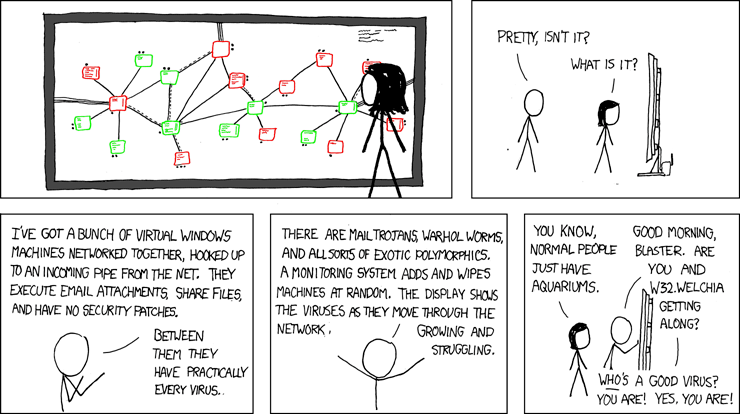
Additionally, modern VM hypervisors are a starting point for fairly mature VM management solutions. Systems like Hyper-V, VirtualBox, virt-manager allow you to quickly experiment with virtualization, while Proxmox can serve as the basis for managing your entire homelab with Virtual Machines and Containers. These management systems allow you to quickly get up and running with the hypervisor or base OS of your choice.

 GeoHomelab
Leave a comment